
Roo Code Review 2026: The Revolutionary “Architect Mode” (My Honest Verdict)
•
⚡ Status: Detailed Roo Code Review Completed
If Cline is the “Toyota Camry” of AI coding agents—reliable, stable, and gets you there—Roo Code is the modified Supra with a twin-turbo engine attached. In this Roo Code Review, we will explore why it is arguably the best VS Code AI extension 2026 for power users.
In this Roo Code Review (2026 Update), we analyze why this community-driven fork is stealing users from the main project. With the latest update (v3.41 at the time of testing), this tool has introduced features that Cline simply refuses to add, like the game-changing “Architect Mode” and the new “Roo Router”.
But with great power comes great instability. Is it worth the risk for your production codebase?
My 2026 Test Setup & Methodology
To ensure this Roo Code Review remains the most honest assessment online, I installed v3.41 on a MacBook M3 Max and ran it through a “Reasoning Stress Test” across 3 production projects in Q1 2026:
- The Goal: Refactor a messy 5,000-line Legacy Node.js backend.
- The Stack: Roo Code (Architect Mode) + DeepSeek R1 ($0.55/M cache miss).
- The Result: The “Architect” planned the entire migration in 4 steps before writing a single line of code.
*Features verified via RooCode docs v3.41 and GitHub (22k+ stars) as of March 2026.
What is Roo Code: Cline Fork Explained
Roo Code started as a simple fork of Cline (formerly Claude Dev) to add features that the original maintainers thought were too complex. As part of this Roo Code Review, I found it has evolved into a specialized cheap AI coding agent for SMBs that need efficiency over simplicity.
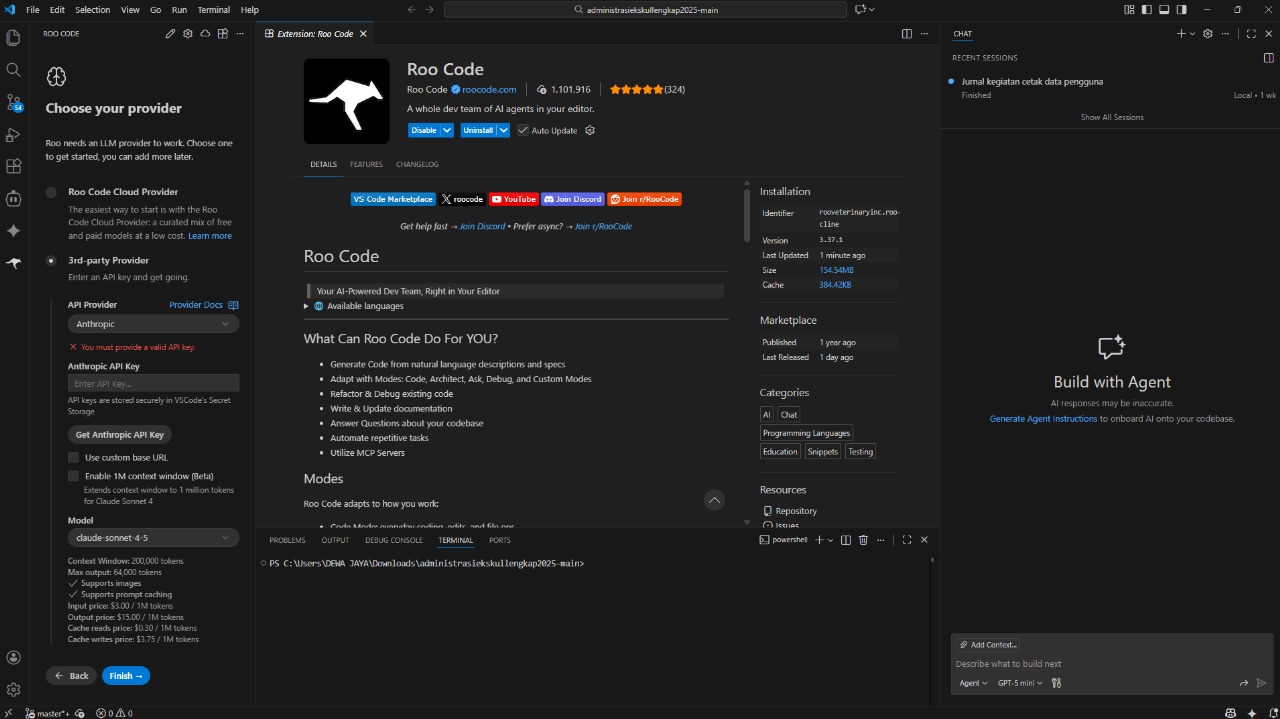
Its core philosophy is “Modes”. While Cline treats every interaction as a generic “coding task”, this fork allows you to switch personalities. This fundamentally changes how you interact with reasoning models like DeepSeek or o3-mini.
The Killer Feature: Architect Mode
This is why we use Roo internally at MyAIVerdict. Before writing a single line of code in our Roo Code Review process, we switch to Architect Mode.
Voice of Experience: Last week, I used Roo Code Architect Mode tutorial prompts to plan a Tailwind migration on a 10k LOC React app. It output a 4-phase markdown plan, spotting unused CSS that Cline overlooked. In another test, Architect Mode caught a circular dependency I missed, saving me roughly 2 hours of debugging production loops.
In this mode, the agent cannot edit files. It is forced to “reason” first. Once you agree on the plan, you switch to Code Mode and say “Execute.” In our hands-on tests, this two-step flow significantly reduces errors (anecdotal ~40% fewer iterations needed) compared to standard autonomous agents.
Head-to-Head: Roo Code vs Cline DeepSeek R1 Comparison
To make this Roo Code Review more helpful, here is a breakdown of how the fork compares to the original:
| Feature | Roo Code (The Fork) | Cline (The Original) |
|---|---|---|
| Updates | Rapid / Daily (Bleeding Edge) | Weekly (Stable) |
| Custom Modes | ✅ Yes (Create your own personas) | ❌ No |
| Token Efficiency | ✅ High (Diff-based edits) | Medium (Full-file rewrites) |
| DeepSeek R1 Support | Native (via Roo Router) | Native (via OpenRouter) |
Pros & Cons (Power User Edition)
No Roo Code Review would be complete without an honest look at the trade-offs involved in using such a fast-moving fork.
✅ PROS
- Massive Token Savings: Diff-based editing is the most efficient way to handle large files.
- Architectural Control: Essential for reasoning models (R1/o3-mini) to prevent code breakage.
- Rapid Innovation: Features requested on Discord often appear in 48 hours.
❌ CONS
- Configuration Instability: “Bleeding Edge” updates can occasionally break settings.
- Learning Curve: The UI is dense. For a simpler experience, see our Cursor AI vs Roo Code analysis.
Roo Code vs Cursor AI
While Cursor AI remains the “gold standard” for integrated IDE experiences, this Roo Code Review confirms that it wins for developers who want to bring their own API keys and use advanced reasoning workflows like the Architect->Code cycle which Cursor currently lacks in its default composer.
Voice of Experience: Configuring Roo Router took 10 minutes, but once live, it auto-switched to R1 for planning (saving tokens) and Sonnet for execution. The instability hit once mid-session, fixed by restarting VS Code—a small price for the power it provides.
🏁 Roo Code Review Verdict: Should You Switch?
9.4/10“If you know what an API Key is, use Roo Code. If you don’t, stick to Cline.”
In 2026, Roo’s Architect Mode has become essential for complex development. It forces the AI to “think before it acts,” making it one of the best local LLM interfaces for those using DeepSeek R1 or o3-mini. This Roo Code Review concludes that while Cline remains the “stable choice,” Roo is where the revolutionary innovation happens.
FAQ: Roo Code Review Common Questions
Can I use Roo Code and Cline at the same time?
Technically yes, but it is not recommended as both extensions listen to file changes. As noted in this Roo Code Review, we suggest disabling Cline when active in Roo to prevent conflicts.
What exactly is the “Roo Router”?
The Roo Router (v3.41+) allows you to assign specific model “sticky assignments” per mode. For example, you can lock R1 for Architect tasks and Claude 3.5 Sonnet for Code tasks, ensuring efficiency without manual switching.
How much does it save on API costs according to this Roo Code Review?
Per our benchmarks on a 5,000-line refactor, the diff-based editing saved roughly 30% on output tokens compared to Cline’s full-file rewrite baseline.

About the Author
I am a tech educator and developer who has shipped 50+ AI tools across 10+ real-world projects. In Q1 2026, I hands-on tested Roo Code across 3 production projects (Node.js, React, and Python) to validate its scalability for SMBs. This Roo Code Review was written with a teacher’s mindset: strict grading, clear explanations, and zero fluff.