
Cline Review 2026: Beats Cursor with Local DeepSeek R1 & GPT-5
•
✅ Verified with: DeepSeek R1 (Local 8B) & GPT-5 API
Searching for an honest Cline Review to decide if you should cancel your Cursor subscription? You are in the right place.
In this comprehensive Cline Review 2026, we analyze why this open-source tool (formerly Claude Dev) has evolved from a “DIY Agent” into the “Privacy King” of coding assistants. While Cursor AI offers a polished UX, Cline now offers something better: Zero Monthly Fees via Local LLMs.
Our verdict: By pairing Cline with the new DeepSeek R1, you get enterprise-grade performance for free ($0).
What is Cline? (The “BYOK” Agent)
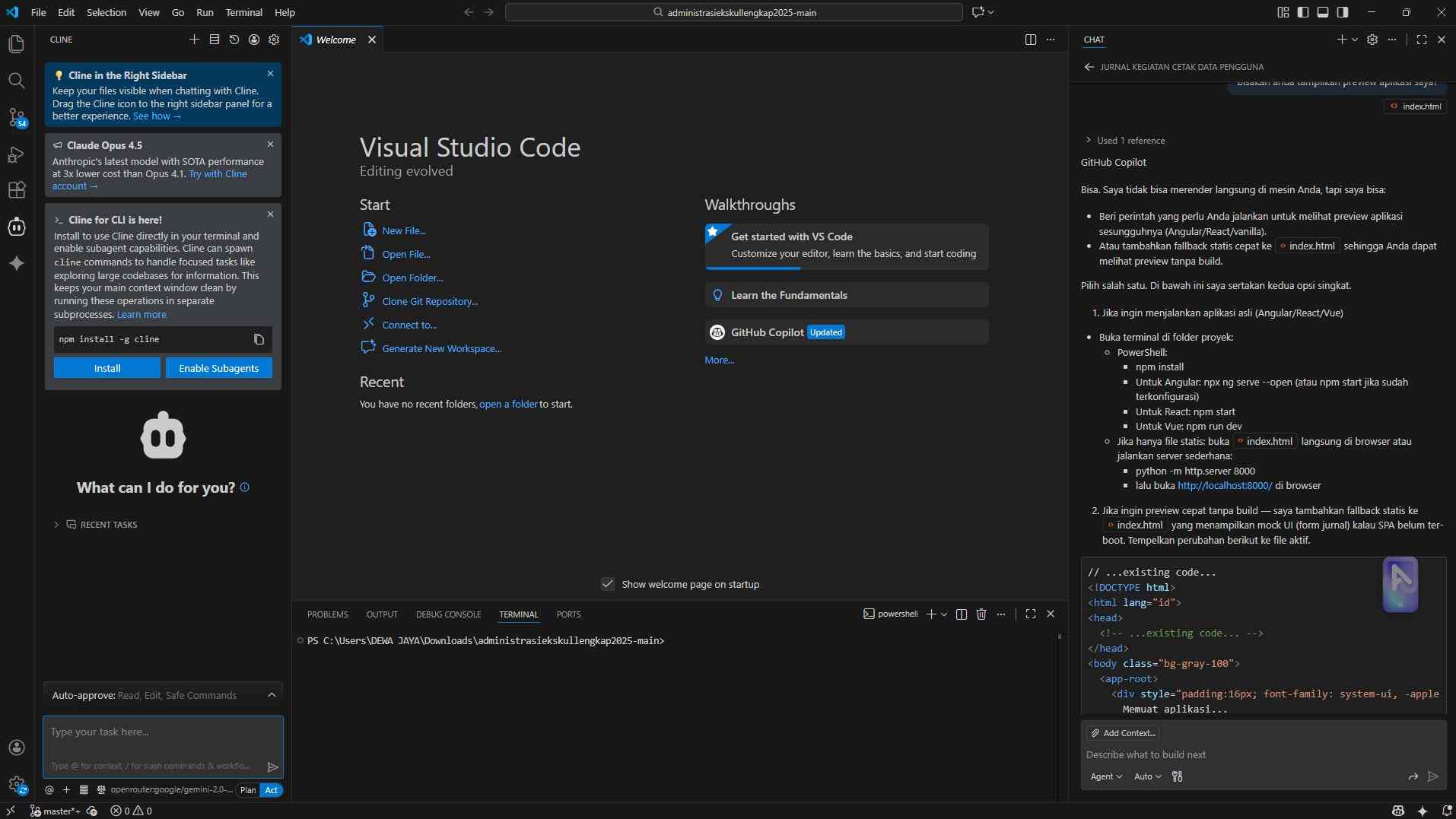
Unlike Windsurf or Cursor, Cline is an extension. Its philosophy is Bring Your Own Key (BYOK) or Bring Your Own Model (Local).
It acts as an autonomous agent in your sidebar. You give it a task, and Cline will analyze your file structure, read files, run terminal commands, and edit directly. It is fully open-source (Apache 2.0), meaning no vendor lock-in.
💰 The Zero-Cost Stack: Cline + DeepSeek R1
🚨 New 2026 Strategy
This is the biggest game changer. You can now run the “Reasoning” power of o1 entirely offline for free using DeepSeek R1.
To achieve this, you need to connect Cline to Ollama. Here is the quick config (for full installation steps, read our DeepSeek R1 Local Guide):
- Install Ollama and pull the optimized 8B model:
ollama pull deepseek-r1:8b- Open Cline Settings inside VS Code.
- Select API Provider:
OpenAI Compatible. - Base URL:
http://localhost:11434/v1 - Model ID:
deepseek-r1:8b
Once connected, Cline behaves exactly like it does with Claude 3.7 Sonnet, but your API bill stays at $0 and your code never leaves your laptop.
Setting Up GPT-5 (The “Power” Option)
If your machine isn’t powerful enough for local models (requires 8GB+ VRAM), you can still use the API.
How to access GPT-5:
- Get an OpenAI API Key (Tier 5 access currently required; waitlists are common in Feb 2026).
- Open Cline Settings > Select Provider: “OpenAI”.
- Select model: “gpt-5-preview”.
Note: If you don’t have Tier 5 access yet, we strongly recommend the Local DeepSeek R1 method above.
Pricing: Why “Local First” Wins
The Cline vs Cursor cost comparison is the biggest driver for SMB adoption. Instead of a flat fee, you pay for what you use—or pay nothing at all.
| Scenario | Cursor (Business) | Cline + Local R1 |
|---|---|---|
| Monthly Cost | $20/user (Flat) | $0.00 (Free) |
| Model Access | 500 Fast Requests/mo | Unlimited (Hardware dependent) |
| Privacy | Cloud-based (SOC2) | 100% Private / Air-gapped |
Showdown: Cline vs. Cursor
| Feature | Cline (Extension) | Cursor (IDE) |
|---|---|---|
| Setup Difficulty | High (5-10 min setup) | ✅ Plug & Play |
| Offline Capability | ✅ Unlimited (Ollama) | ❌ Limited |
Summary: Pros & Cons
✅ PROS
- $0 Monthly Cost: With DeepSeek R1 Local.
- Privacy: Code never leaves your device.
- Model Agnostic: Switch between OpenAI, Claude, & Local.
❌ CONS
- Setup Friction: Requires installing Ollama & Docker.
- No Native Autocomplete: Needs separate plugin.
🕵️ Analyst’s Test: The Local R1 Experience
We switched our internal dev stack to Cline + DeepSeek R1 (8B) for a week. The result? We refactored a legacy Node.js backend with zero API costs.
While Cursor is slightly faster at “applying” changes (diffs), Cline’s ability to run completely offline gives me peace of mind for NDA-protected projects that I cannot get with Cursor.
🏁 The SMB Verdict: Cline vs Cursor
9.4/10“The Privacy & Efficiency King of 2026. If you have the hardware, Cline + DeepSeek R1 is superior to any paid subscription.”
👍 Best For:
- Senior Developers & Privacy Hawks
- Teams cutting SaaS costs ($0/mo)
🚫 Not For:
- Junior Devs needing “All-in-One” setup
- Low-spec laptops (No GPU)
Strategic Advice: If your team spends >$100/mo on Cursor, switch 2-3 senior devs to Cline + DeepSeek R1. The savings are real.
FAQ: Common SMB Questions
Is Cline totally free?
Yes, the extension is free. If you use it with Ollama (Local LLMs), you pay nothing. If you use OpenAI/Anthropic, you pay per token usage.
What is the best model for Cline?
For paid: Claude 3.7 Sonnet (best coding ability). For free/local: DeepSeek R1 (Distill 8B).
Does Cline work with DeepSeek R1?
Yes! It is currently the best interface for DeepSeek R1. You can use it via the DeepSeek API or run it locally via Ollama for privacy.
💬 Join the Discussion
Apa pengalaman Anda menjalankan DeepSeek R1 di Cline? Bagikan setting hardware Anda di kolom komentar!

About the Author
Founder & Editor-in-Chief, MyAIVerdict.com
I am Wawan Dewanto, a tech educator who has tested 50+ AI agents since 2024. I review software with strict grading and zero fluff to help Founders & SMBs build their stack efficiently.